
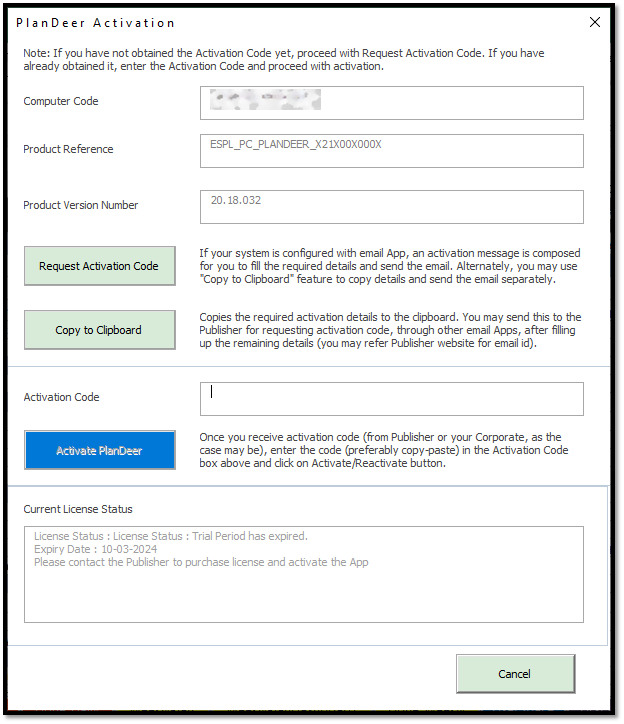
How To Activate PlanDeer
To continue with uninterrupted use of PlanDeer beyond the trial period, you need to activate the Product. Please find below, the steps to be followed to obtain the Activation Code and activate PlanDeer.
Compatibility Information (Before installation, make sure you have downloaded the appropriate version of PlanDeer):
| PlanDeer Version Selector | Microsoft Excel 32-Bit | Microsoft Excel 64-Bit |
|---|---|---|
| Windows 32-Bit | PlanDeer 32-Bit | Not Applicable |
| Windows 64-Bit | PlanDeer 32-Bit | PlanDeer 64-Bit |
Pre-requisites for Activation
1. You should have downloaded and installed appropriate version of PlanDeer.
2. You should have completed the Payment process*. In case you haven’t yet purchased the license, go to our download center and click on appropriate purchase link, (based on which PlanDeer product you want to buy) and complete the payment procedure.
3. If you are using Corporate Version of PlanDeer, please refer to section below – Activation process for Corporate Users.
.png)